Ice가 맥 메뉴바 관리 도구로 실용적으로 보이는 이유
Ice를 실제 메뉴바 스크린샷과 함께 정리한 한글+영문 글

맥 메뉴바가 복잡해지기 시작하면 생각보다 금방 피곤해지죠. 아이콘은 계속 늘어나는데, 자주 쓰는 기능은 오히려 더 찾기 어려워지고 화면 상단은 점점 정신없어집니다. Ice는 바로 그 불편을 정리하는 데 집중한 macOS 메뉴바 관리 오픈소스처럼 보였습니다.
겉으로만 보면 단순히 아이콘을 숨기는 앱처럼 느껴질 수도 있는데, README에 올라온 실제 화면을 보면 방향이 더 분명합니다. 메뉴바 아이템을 어떻게 배치하고, 다시 드러내고, 검색하고, 간격을 조절할지까지 실사용 기준으로 다루고 있거든요. 이런 류의 도구는 기능 목록보다 실제 UI가 훨씬 많은 걸 설명해주는데, Ice는 그 점이 잘 드러나는 편입니다.
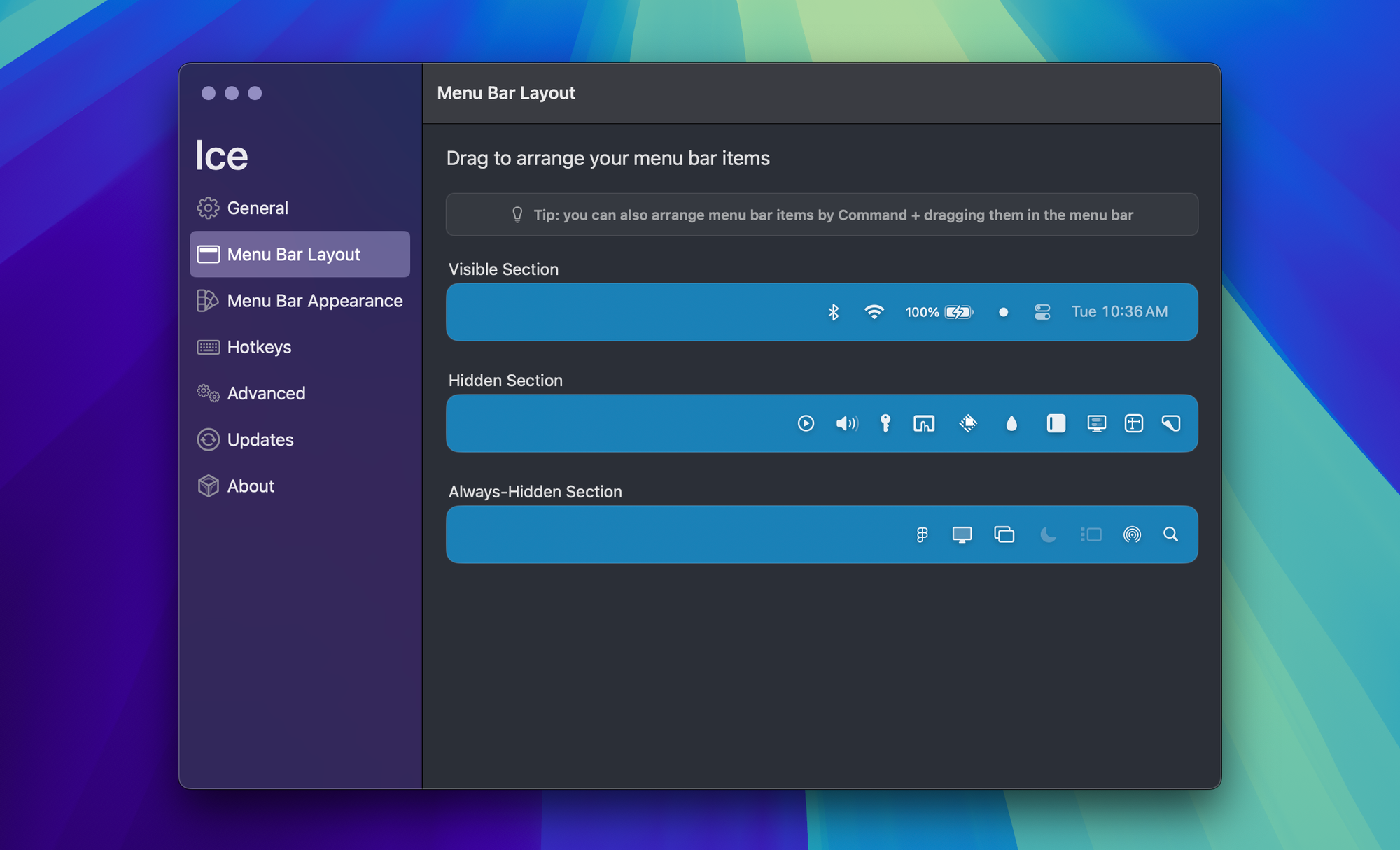
제 기준에서는 이런 앱이 거창한 혁신이냐보다 매일 켜두고 써도 안 거슬리느냐가 더 중요합니다. Ice는 바로 그 지점이 괜찮아 보여요. 메뉴바를 자주 쓰는 사람에게는 자잘한 마찰을 줄여주는 앱이 결국 오래 남으니까요.

https://github.com/jordanbaird/Ice
Once your Mac menu bar gets crowded, it becomes annoying surprisingly fast. Icons keep piling up, the things you actually use become harder to find, and the top of the screen starts feeling noisy. Ice stood out to me as an open-source macOS utility that is focused on solving exactly that problem.
At a glance, it might look like a simple app for hiding menu bar items, but the real screenshots in the README make the intention much clearer. It is not only about hiding icons. It is about arranging items, revealing them again, searching across them, and adjusting spacing in a way that feels grounded in actual daily use. For tools like this, the UI often explains more than a long feature list, and Ice does a good job of showing that.
To me, the real question is not whether this is flashy, but whether it would stay out of the way while being useful every day. Ice looks promising on that front, which is usually what matters most for this category of app.