Ice로 맥 메뉴바를 정리할 때 괜찮아 보였던 이유
맥 메뉴바 관리 도구 Ice를 실사용 관점에서 풀어 쓴 한글+영문 글

맥 메뉴바에 아이콘이 쌓이기 시작하면 필요한 걸 찾는 데 괜히 한 박자씩 늦어질 때가 있죠. Ice는 그런 불편을 꽤 현실적으로 건드리는 프로젝트였습니다. 핵심은 macOS 메뉴바 아이템을 더 깔끔하게 숨기고, 다시 꺼내고, 정리하는 흐름을 잘 만드는 데 있습니다.
비슷한 도구는 예전부터 있었지만, Ice는 오픈소스라서 방향을 코드와 이슈로 바로 확인할 수 있고 README의 실제 화면도 꽤 설득력이 있습니다. 메뉴바를 많이 쓰는 사람 관점에서 무엇이 불편한지를 잘 알고 만든 느낌이 드는 쪽이었어요.
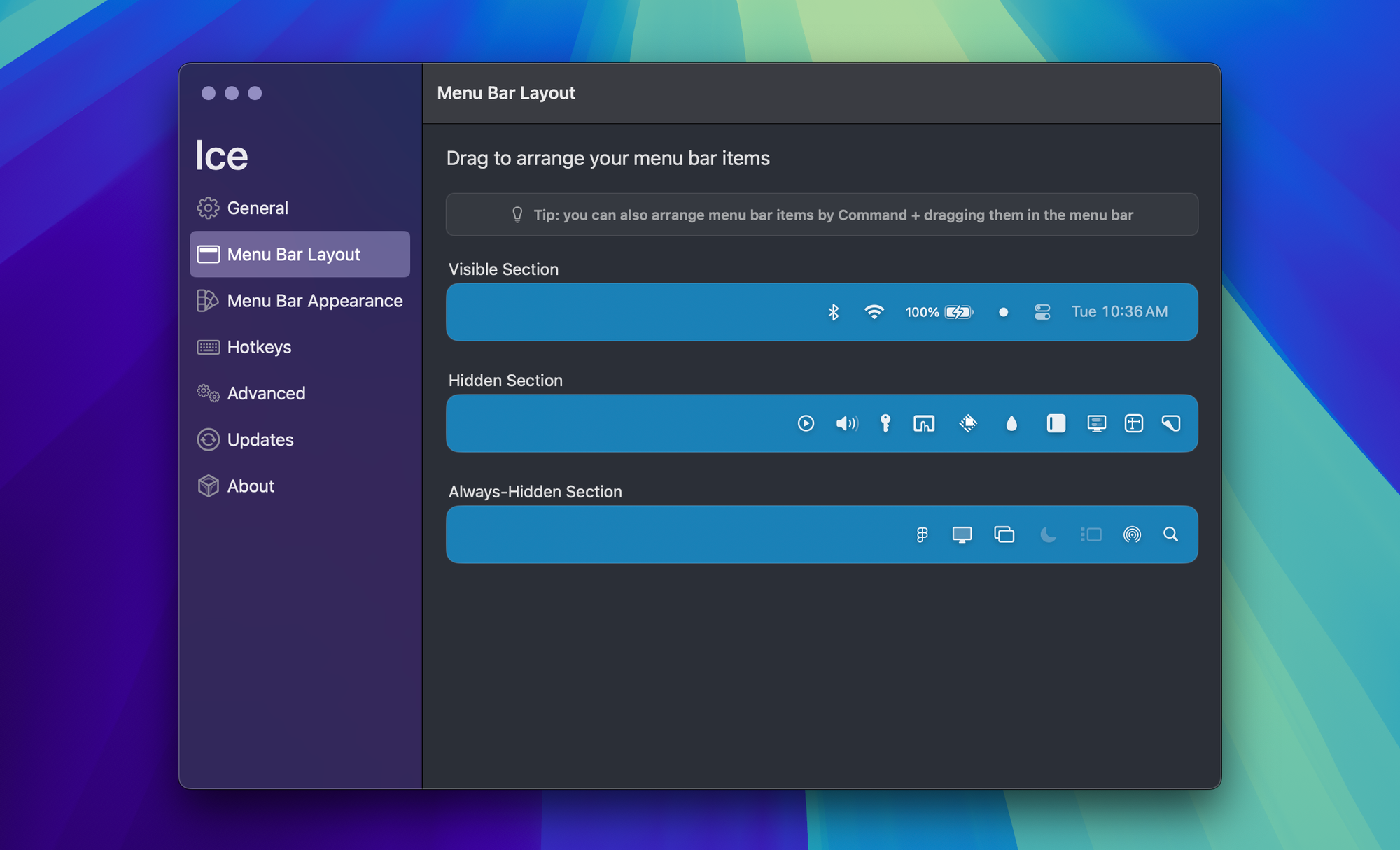
개인적으로는 이런 앱이 기능 수보다도 매일 켜두고 쓸 만한지가 더 중요하다고 생각합니다. 메뉴바 관리 도구는 화려함보다도 안 거슬리고 꾸준히 쓰게 만드는 게 핵심인데, Ice는 그 기준에서 꽤 괜찮아 보였습니다.

https://github.com/jordanbaird/Ice
When too many icons build up in the Mac menu bar, even simple actions start feeling slower than they should. Ice caught my attention because it approaches that problem in a very practical way. The project is focused on making it easier to hide, reveal, and organize menu bar items without turning the whole experience into a mess.
There have been similar utilities before, but Ice feels easier to take seriously because it is open source and because the README shows real UI examples instead of vague promises. It gives the impression that the project was built by someone who understands the small annoyances of living in the menu bar all day.
For me, the most important thing with a utility like this is not how flashy it looks. It is whether I would actually leave it running every day. Ice looks solid from that perspective.